
Discover how to use drones to capture and build accurate, interactive 3D models and digital twins—so you can elevate your career or services in construction, engineering, and surveying.
Ready to learn how to use drones, cameras, and photogrammetry to create high-precision 3D models and digital twins—so you can elevate your drone services or your career in engineering, surveying, and construction?
This is the course for you.
This course is just one piece of a comprehensive learning path. Unlock the full potential of your skills by enrolling in our complete program and save up to 30% compared to purchasing individual courses separately.
Whether you’re flying drones for clients or you’re managing surveying and engineering projects, one thing is clear:
The industry is moving toward 3D digital workflows.
⏳ days of manual work
💰 expensive equipment
❌ and limited data
⏩ faster insights
👷 safer operations
✅ and better decisions.
This course shows you exactly how to make that shift—so you can stay ahead of the curve and deliver real value to clients, employers, and teams.
This isn’t just about making models that look good—it’s about creating accurate, industry-grade 3D deliverables that professionals can trust.
You’ll learn every step of the workflow, from flight planning and data capture to post-processing and model delivery.
Step 1
Step 2
Step 3
Step 4
From bridge inspections to as-built documentation, 3D digital twins are transforming how the world designs, builds, and maintains infrastructure.
They enable:
Professionals who understand how to capture and build these models are already in demand—and commanding higher pay.
And the demand for skilled workers is only going to continue to grow.
This course is led by Ted Strazimiri, an expert in 3D modeling and digital twin technology who has worked with clients across energy, infrastructure, preservation, and industrial sectors.
Ted has years of hands-on experience using drones to build precise 3D models for inspections, asset tracking, virtual reality environments, and more. His work has helped companies avoid costly shutdowns, reduce risk, and document complex structures with millimeter-level accuracy.
With Ted as your guide, you’ll learn how to create high-quality deliverables that help engineers, inspectors, and facility managers solve real-world problems—and open the door to higher-paying projects with less competition.

Expand Each Section To Learn More ↓
Welcome to the Course
About Your Instructor (2:03)
What You’re Going to Learn in This Course (2:10)
Industry Use Cases for 3D Modeling and Digital Twins (5:22)
3D Modeling vs Traditional Mapping (4:22)
Essential Gear & Equipment: Introduction (0:56)
Essential Cameras & Sensors (3:31)
Essential Drones (2:59)
Optional Gear: Lasers (1:13)
Additional Gear & Equipment (3:08)
Essential Software (2:35)
Flight Planning – Bridge: Auto 3D Scan (Part 1) (6:54)
Flight Planning – Bridge: Auto 3D Scan (Part 2) (4:40)
Flight Planning – Bridge: Other Options (Part 1) (8:02)
Flight Planning – Bridge: Other Options (Part 2) (7:38)
Flight Planning – Building Envelope (5:23)
Introduction to Reality Capture in the Field (6:25)
Setting Up Your GNSS Receiver (10:27)
Verifying Accuracy with Stakeout in the Field (9:30)
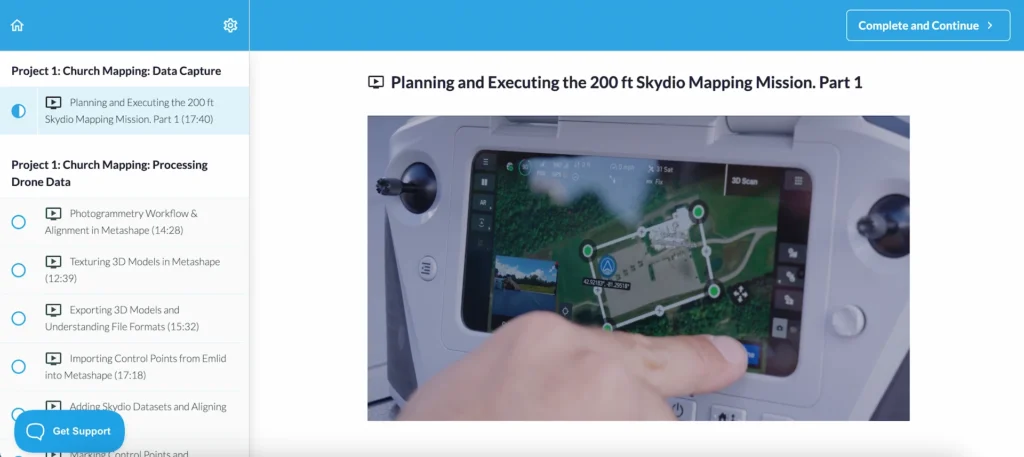
Mapping a Church Site (7:03)
Flight Planning for the Church Mapping Project (17:55)
Running a 400 ft DJI Mapping Test (6:43)
Planning & Executig the 200 ft Skydio Mapping Mission (Part 1) (17:40)
Introduction to Reality Capture in the Field (6:25)
Planning & Executing the 200 ft Skydio Mapping Mission (Part 3) (10:55)
Organizing & Preparing Your Data for Processing (6:12)
Why Dewarping Ruins Drone Mapping Accuracy (3:50)
Photogrammetry Workflow & Alignment in Metashape (14:28)
Sparse Point Clouds & Interpreting Alignment Results (7:51)
Building 3D Models with Depth Maps in Metashape (11:38)
Understanding Mesh Quality & Confidence Metrics (12:25)
Comparing Mesh Versions at Different Quality Levels (8:55)
Texturing 3D Models in Metashape (12:39)
Evaluating Textured Models in Metashape (6:24)
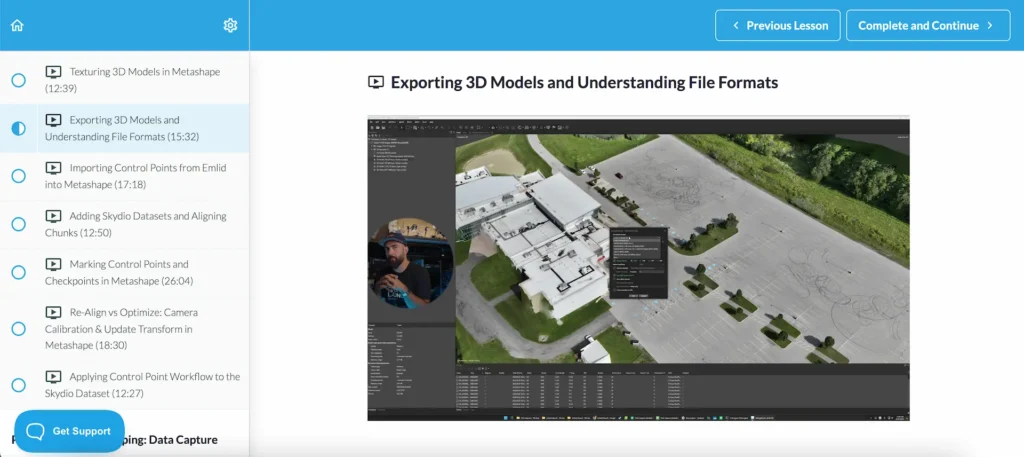
Exporting 3D Models & Understanding File Formats (15:32)
Sharing Models with Nira (7:20)
Sharing Models with Cesium (9:12)
Working with Chunks: Organizing Multi-Flight Datasets (6:26)
Reference Frames & Metadata: Setting Up Your Project Correctly (10:23)
Reference Settings & Accuracy Inputs (9:19)
Importing Control Points from Emlid into Metashape (17:18)
Adding Skydio Datasets & Aligning Chunks (12:50)
Marking Control Points & Checkpoints in Metashape (26:04)
Re-Align vs Optimize: Camera Calibration & Update Transform (18:30)
Generating & Reading the Metashape Quality Report (5:08)
Using Gradual Selection & Re-Optimization in Metashape (7:58)
Applying the Control Point Workflow to the Skydio Dataset (12:27)
Bridge Inspection Setup: Control Points, Lighting & Mission Planning (5:23)
Setting Ground Control Points with RTK GPS (12:36)
Elevation Scanning Strategy & M400 Setup (7:51)
RTK Setup & Slope Capture Mission Planning (15:10)
Executing a Bridge Slope Scan with the M400 (14:49)
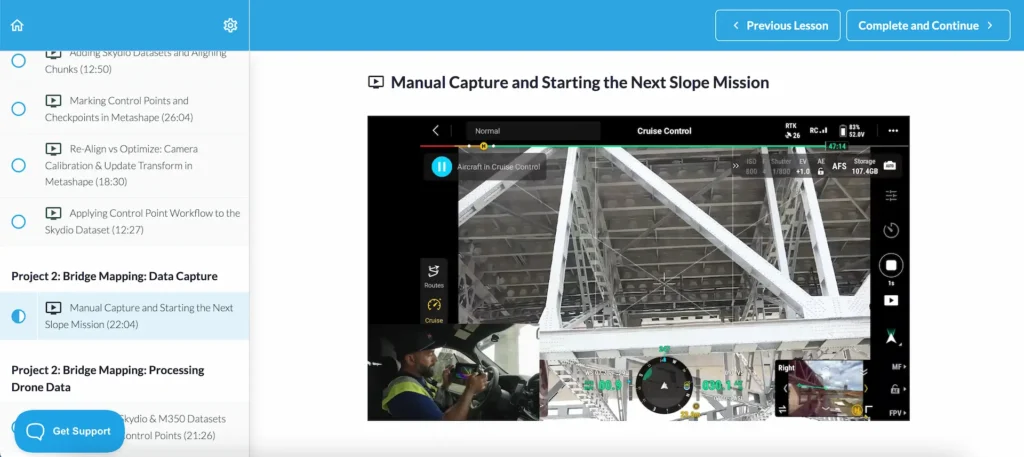
How to Capture Bridge Details Manually (11:40)
Manual Capture & Starting the Next Slope Mission (22:04)
Why Upward Capture Matters for Bridge Inspections (2:44)
Skydio X10 Surface Capture: Setup & Workflow (8:18)
Skydio X10 Field Results & Workflow Wrap-Up (0:55)
Bridge Dataset QC: Reviewing P1 Imagery & Metadata (9:32)
Metashape Setup & First Alignment (7:24)
Post-Alignment Review & Control Strategy (12:44)
Quality Control with GCPs: Exporting, Importing & Troubleshooting (8:40)
QC & Gradual Selection: Identifying GCP Errors (6:42
Defining a Bounding Box for Efficient Processing (4:32)
Building the Mesh: Depth Maps, Face Count & Block Size (3:24)
Cleaning Up a Mesh & Preparing for Texturing (6:03)
Finalizing a Textured Model in Metashape (9:15)
Combining Scans from Different Days: Preparing for Alignment (6:22)
Combining Skydio & M350 Datasets with Chunks & Control Points (21:26)
Merging Chunks: Marker-Based vs Point-Based Methods (3:47)
Refining Merged Chunks with Markers & Batch Processing (14:13)
Exporting 3D Models & Camera Data for Nira and Other Tools (11:10)
Sharing Models in Nira: Photos, Annotations & Reports (5:48)
Using M4E with Manifold 3 for Smart 3D Explorer Missions (19:19)
Final Exam
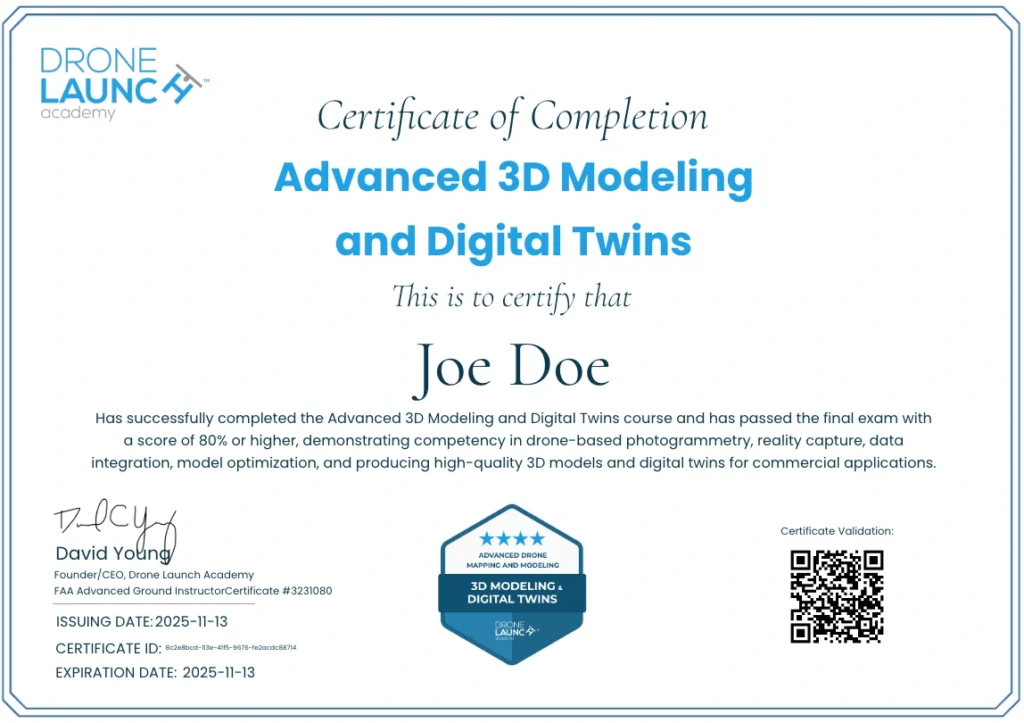
By completing this course, you’ll earn your Advanced 3D Modeling & Digital Twins Certificate and LinkedIn-verifiable digital badge, proving your ability to create professional, inspection-ready 3D models and digital replicas.
Whether you’re growing your drone business or advancing in your surveying, construction, or engineering career, this certification validates your expertise in next-generation 3D reality capture.
Step 1
Start immediately and learn at your own pace with
🎥 video lessons
📑 downloadable resources
📈 and real-world datasets
Step 2
Ted walks you step-by-step from mission setup to finished digital twin, so you’ll be ready to complete your very first 3D modeling projects with confidence.
Step 3
Use sample datasets—or your own—to create inspection-ready 3D models.
Step 4
Pass the final exam and proudly display your official certificate and badge.

This is the final course in Drone Launch Academy’s Advanced Drone Mapping & Modeling Certification Program, following:
Complete all of these courses to earn your full program certification and position yourself as a leader in professional drone mapping and modeling.
If you stick to basic mapping or traditional workflows…
You’ll miss out on high-value contracts that demand 3D data.
You’ll lose ground to professionals who can deliver digital twins.
You’ll stay dependent on outdated inspection methods.
But if you invest in your career right now and learn these skills… you’ll be ready for the future of infrastructure, design, and asset management.
Enroll in the Advanced 3D Modeling & Digital Twins course today and start creating interactive, measurable 3D models that drive real-world decisions.


